
RIP software is the part of sticker printing nobody posts on Instagram. But it’s the part that decides whether your colors look right, your cutlines behave, and your shop runs smoothly or feels like a daily fire drill. This SAi Flexi review is for anyone looking at Flexi (FlexiSIGN, FlexiPRINT, Flexi Complete, the whole family) and trying to figure out if it’s actually the right tool, or if ONYX, Caldera, Wasatch, Fiery XF, or an OEM RIP makes more sense.
I’m going to keep this practical. What Flexi does well. Where it can annoy you. And how it stacks up against the usual alternatives.
What SAi Flexi is (and why sticker shops keep buying it)
Flexi is an all-in-one setup that tries to cover three jobs:
- Design and layout (basic vector and bitmap edits, cutline creation, repeats)
- RIP and print (color management, profiles, job settings, queues)
- Cut workflows (print and cut, direct vinyl cutting, contour cutting options)
That “one tool for the whole workflow” pitch is why Flexi is everywhere in sign shops, wrap shops, and smaller sticker operations that don’t want to juggle Illustrator plus a RIP plus separate cutter software.
If your shop is mostly stickers and decals, Flexi’s core promise is simple: you can prep the art, build cutlines, nest jobs, and send them through Production Manager without bouncing between five apps.
Flexi versions: Design vs Complete vs the specialty editions
One reason Flexi confuses people is that “Flexi” is not one product. It’s a lineup.
Here’s the plain-English breakdown:
- Flexi Design: design tools only. Good as a design seat. It can create cutlines and prep files, but it’s not the full RIP output engine.
- Flexi Complete: the full package. Design + RIP + print and cut features, with Production Manager at the center.
- Specialty builds/editions: you’ll see versions aimed at specific workflows (DTF/DTG, HP Latex, and older “legacy” product lines still floating around in the market).
Pricing and licensing matter here because Flexi is usually sold as a subscription. That’s good if you like updates and support included. It’s less fun if you just want to buy it once and forget it exists.
Also worth knowing up front: the main Flexi system requirements are Windows-focused. If your shop is Mac-heavy, that changes what “Flexi” can realistically be in your setup.
Production Manager workflow: setups, presets, queues, and hot folders
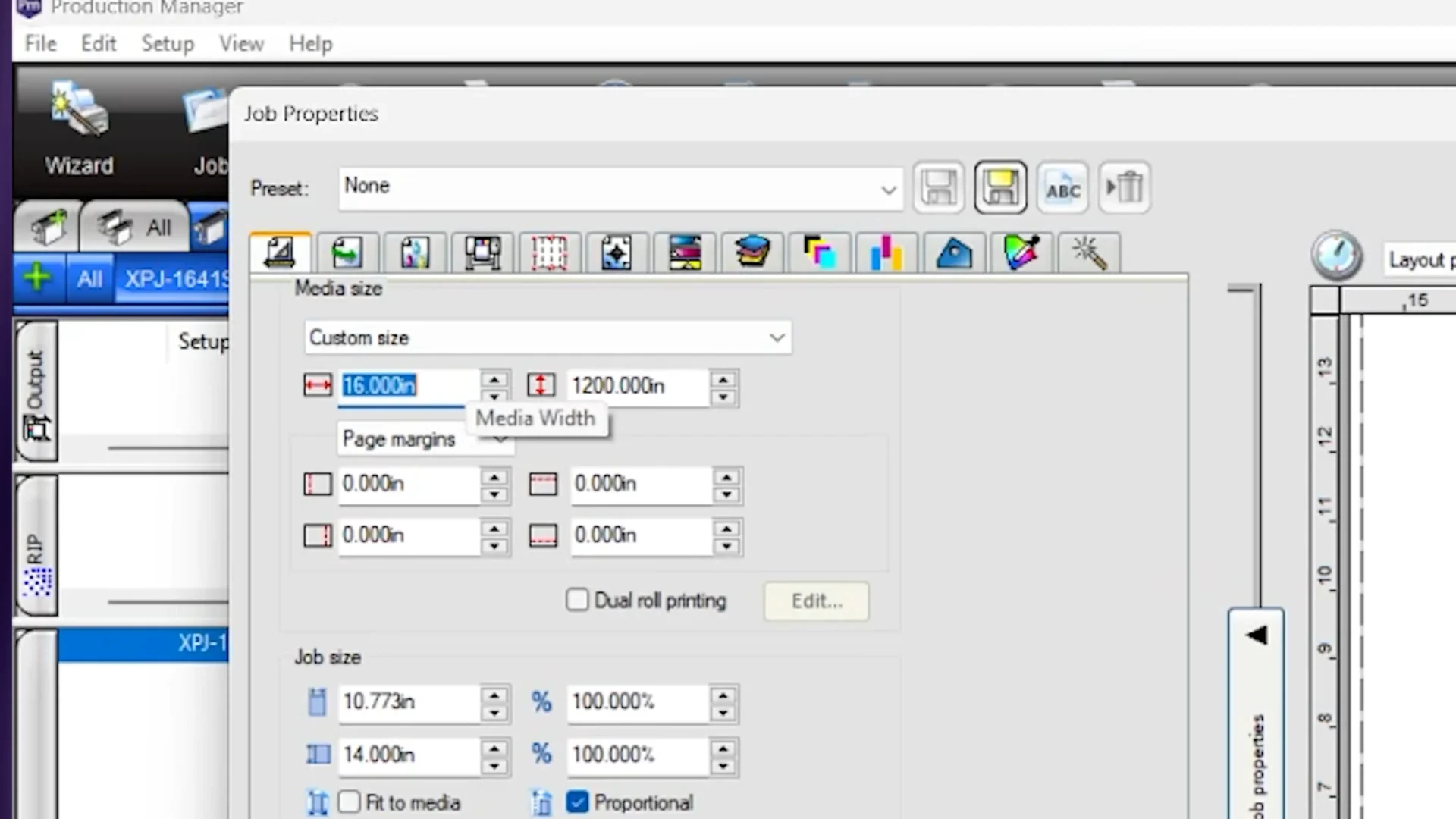
If Flexi has a “heart,” it’s Production Manager.
This is the part that feels like a production control panel:
- Setups for each printer/cutter configuration
- Default job properties so new jobs behave the same way every time
- Queues so you can keep work organized (stickers vs banners vs heat transfers, etc.)
- Presets so common settings are one click, not a 12-tab scavenger hunt
- Hot folders so jobs can drop in automatically and queue themselves
In real sticker production, this is where Flexi shines when it’s set up well. You can build a “known good” sticker preset (media profile, resolution, cut settings, margins, the stuff that usually gets someone in trouble). Then you reuse it until the end of time.
The flip side is also true: if your shop never standardizes presets, Flexi becomes a “why does Josh’s station print different than mine?” kind of problem. That’s not Flexi’s fault, but Flexi absolutely enables it.
Print and cut: contour cutting, crop marks, and cutter control
Sticker shops live and die on contour cutting.
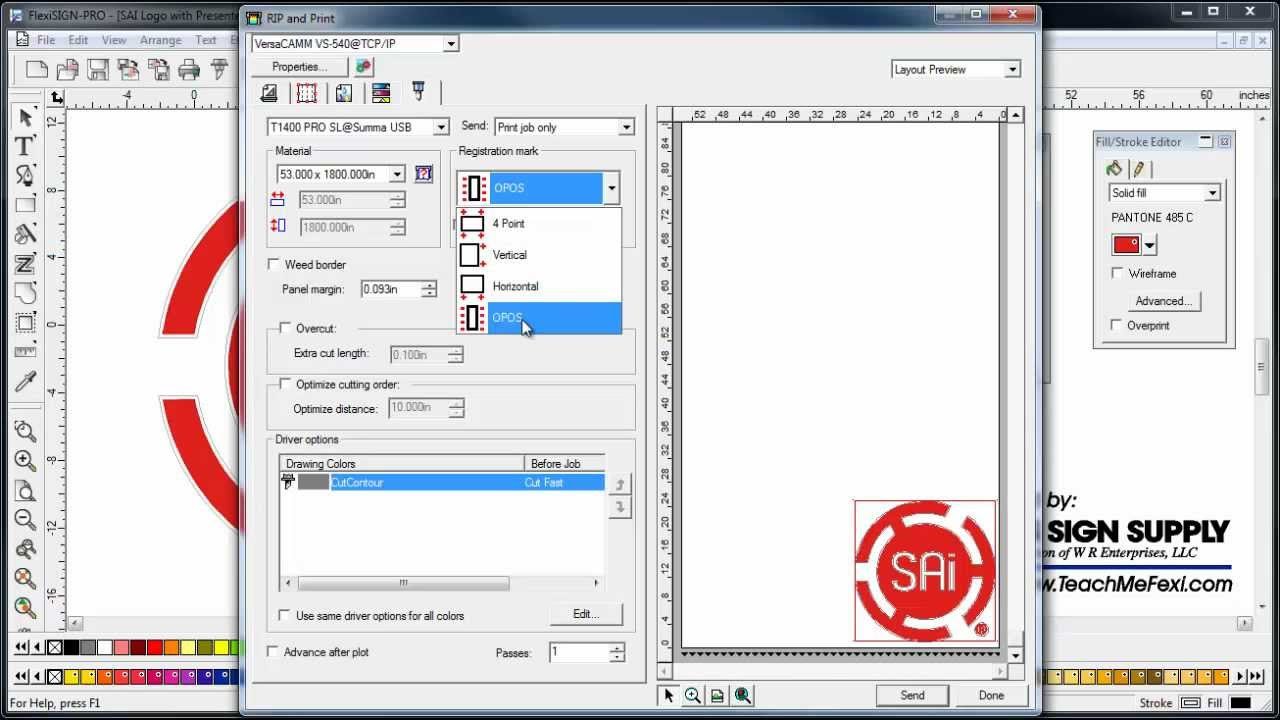
Flexi supports contour cutting workflows with a lot of control over how cuts run. If you’ve ever had a job where overlapping cut paths caused double-cuts, corner lifts, or that shredded vinyl look, you’ll care that Flexi gives options like:
- optimizing cut order (to reduce wasted movement)
- reducing overlapping segments so the cutter doesn’t hit the same line twice
- using consistent driver options across multiple contour colors
- pausing before specific cuts (handy when you actually need to change blades or settings)
This is the stuff that separates “it cuts” from “it cuts clean, repeatedly.”
Flexi’s cutter support is also a big reason it stays popular. If you’re in a mixed device world (one printer, multiple cutters, or different cutters over time), Flexi tends to be a stable hub.
Nesting and tiling: True Shape Nesting, media savings, and tradeoffs
If you print lots of small stickers, nesting is not optional. It’s the difference between making money and donating vinyl to the trash can.
Flexi’s True Shape Nesting is exactly what it sounds like: it nests based on the actual shape, not just the bounding box. That means tighter packing and less wasted space.
The tradeoff is also real: true-shape algorithms can take longer to calculate, especially when you throw a lot of objects at it. If your workflow is “rush job, get it out the door,” you may stick to simpler nesting for speed. If your workflow is “maximize yield on every roll,” true-shape nesting becomes more valuable.
Production Manager nesting is also picky in a good way. Jobs typically need to share the same output device and settings to nest together cleanly. That protects you from accidentally nesting jobs that should not be grouped.
Color management: ICC profiles, spot color mapping, and brand colors
Sticker printing is brutal about color because customers compare it to a screen, an old run, or their brand guide, and they don’t care what your printer feels like today.
Flexi leans on a typical RIP approach:
- ICC profile based color management for specific printers and media
- default job properties so your baseline stays consistent
- spot color mapping tools when you need to push certain spot colors into a better match
Flexi’s Custom Spot Color Mapping is a practical feature for real shops. You can fine-tune a spot color without changing everything else, and keep that adjustment stored with a specific printer setup. That matters if you run multiple printers, or if one printer behaves slightly differently.
If your world is very color-critical (proofing, strict standards, big brand compliance), Flexi can still work, but it’s not always the deepest toolset in the category. That’s where solutions like Fiery XF tend to show up more often.
Variable data printing: barcodes, QR codes, and label runs
Variable data is not just for direct mail. Sticker shops use it for:
- numbered labels
- serialized decals
- QR code sticker runs
- barcodes for packaging and inventory
- name runs for events
Flexi supports a variable data workflow where you build a template and then feed it data from a CSV or similar file. It also supports things like barcodes and data matrix elements, which is the kind of feature you only care about once you need it, and then you care a lot.
If you do any “same sticker, different name/code” work, this is a legitimate point in Flexi’s favor.
Performance, learning curve, and support reality
Flexi has been around for a long time, and it shows in two ways:
- It’s mature. The workflow concepts (setups, presets, production queues) are built for shops, not hobby use.
- It can feel like “shop software.” Not sleek, not minimal, but functional once you learn where things live.
The learning curve is mostly about building a clean production setup:
- set up the right devices and ports
- build presets that match your media and typical sticker jobs
- lock down default job properties so jobs behave consistently
- train your team to stop reinventing settings per job
System-wise, Flexi’s current requirements are Windows-focused (Windows 10/11), with recommended hardware that looks like a normal modern production workstation. If your shop runs on older machines, the RIP side is not where you want to cut corners.
Support is a mixed bag in any RIP world. Flexi markets support heavily and has a big knowledge base. In practice, the experience usually depends on how complex your setup is and how cleanly your devices are configured.
Flexi vs ONYX, Caldera, Wasatch, Fiery XF, and bundled RIPs
This is the comparison section most people actually came for.
Here’s the honest positioning:
Flexi vs ONYX
- Where ONYX tends to win: scaling production, multi-workstation setups, bigger shop workflows, and a strong ecosystem around print and cut workflows (including separate cutter server style setups).
- Where Flexi tends to win: all-in-one simplicity. Flexi is usually easier to live in if you want design + print + cut in one place and you’re not building a multi-site production environment.
If you’re a sticker shop with one or two devices, Flexi can feel “complete.” If you’re running a bigger floor with multiple operators and devices, ONYX starts to look like the more natural production platform.
Flexi vs Caldera
Caldera’s reputation is heavily tied to production workflows and automation, especially when you pair CalderaRIP with tools like PrimeCenter (prepress and nesting automation).
- Where Caldera tends to win: prepress automation, nesting pipelines, and production systems designed to reduce manual prep time.
- Where Flexi tends to win: integrated design and direct workflow for sign-style production without needing separate modules.
If your pain is “we waste hours nesting and prepping files,” Caldera’s ecosystem can be a strong answer. If your pain is “we need one tool staff can learn quickly and run daily,” Flexi often feels more approachable.
Flexi vs Wasatch SoftRIP
Wasatch shows up a lot in print-and-cut workflows where barcode automation matters.
- Where Wasatch tends to win: barcode-driven print-and-cut workflows and some table cutting integrations that reduce manual matching between printed output and cut files.
- Where Flexi tends to win: broad all-in-one sign + sticker workflow, especially if you want design inside the same ecosystem.
If you cut on a system that supports barcode scanning and you want that “load the roll and let it run” vibe, Wasatch is worth a serious look.
Flexi vs Fiery XF
Fiery XF is often chosen for color management depth, proofing-grade control, standards, and modular scaling.
- Where Fiery tends to win: advanced color profiling, verification options, and scalable server/client workflow setups.
- Where Flexi tends to win: simpler daily usability for smaller shops and an integrated sign-style workflow.
If you’re mostly printing stickers and decals for general customers, Fiery XF can be overkill. If you serve demanding brands or do proofing work where color compliance is the job, Fiery is built for that.
Flexi vs VersaWorks (Roland), RasterLink (Mimaki), Epson Edge Print
Bundled OEM RIPs are underrated because they are usually the easiest path to “it works.”
- Where OEM RIPs win: tight integration with the manufacturer’s print-and-cut workflow, fewer driver mysteries, fewer compatibility issues.
- Where Flexi wins: flexibility across different devices and cutters, and a more unified workflow if your shop isn’t locked to one brand.
If you run a Roland printer-cutter and you are happy, VersaWorks is hard to beat for simplicity. Same deal with RasterLink in the Mimaki world, and Epson Edge Print in Epson ecosystems.
Pros and cons: the straight version
Here’s the condensed scorecard from this SAi Flexi review.
What Flexi does really well
- All-in-one workflow for design, RIP output, and cutting
- Production Manager structure (setups, presets, queues) fits real shops
- Strong nesting tools, including true-shape nesting
- Useful spot color tools for day-to-day brand color fixes
- Variable data printing support for QR codes, barcodes, and serialization
- Good fit for sign shops and sticker operations that want one main platform
Where Flexi can be frustrating
- Product lineup can be confusing if you’re trying to buy the “right” version
- Windows-first reality can be a problem for Mac-only shops
- True-shape nesting can be slower on heavy files
- If you need proofing-grade color control, other RIPs may go deeper
- Like any RIP, the workflow is only as clean as your presets and training
Final verdict: who Flexi is for (and who should skip it)
Flexi is a strong choice when you want a practical, shop-friendly hub for print and cut. It’s especially good for small to mid-size sticker and sign operations that want to standardize workflows without building an enterprise production system.
If you’re reading this SAi Flexi review because you’re tired of juggling design apps, printer dialogs, and separate cutter utilities, Flexi is one of the most realistic “just make it one system” answers.
But if your shop is scaling fast, running many devices, or living in strict color compliance land, you should compare it seriously against ONYX, Caldera plus PrimeCenter, or Fiery XF. Those tools are built for deeper production and color control, and the difference shows once you’re past the “single workstation running everything” phase.