
TLDR
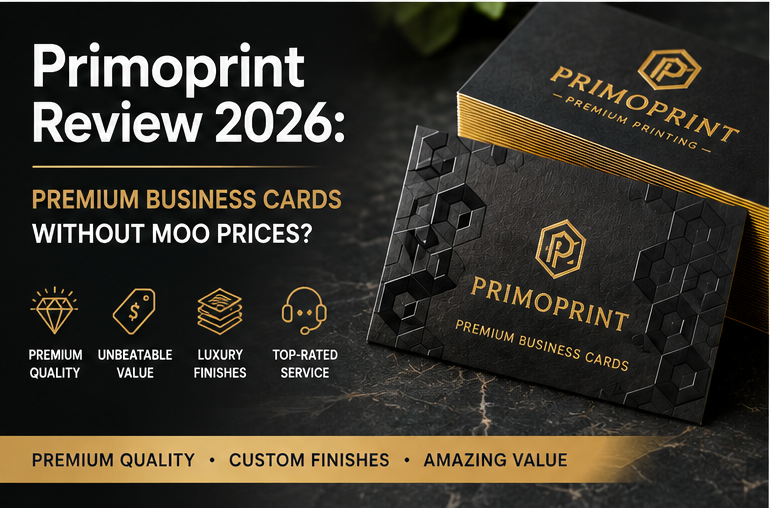
Primoprint is one of the best business card printers we have evaluated for buyers who care about print quality and premium finishes but do not want to pay MOO-level prices.
Its cards can be excellent. Silk lamination, velvet soft-touch, raised foil, spot UV, painted edges, ultra-thick stocks, plastic cards, and other specialty options give designers plenty to work with.
The catch is the online design experience. Primoprint is much better at printing a finished design than helping a complete beginner create one.
Our overall business card score is 3.97 out of 5, with especially strong marks for quality, price, options, and customer service.
Our Primoprint Rating
| Category | Score |
|---|---|
| Quality | 4.5/5 |
| Price | 5.0/5 |
| Options | 4.5/5 |
| Templates & Tools | 1.8/5 |
| Customer Service | 5.0/5 |
| Turnaround Time | 3.0/5 |
| Overall | 3.97/5 |
That overall score actually undersells Primoprint a little for the right customer.
Its weak online-tool score drags down the average substantially. If you already have a print-ready business card design, that weakness matters far less.
And suddenly you are looking at a printer with:
- 4.5/5 quality
- 5.0/5 price
- 4.5/5 options
- 5.0/5 customer service
That is a compelling combination.
Quality
Quality is the biggest reason to consider Primoprint.
We gave it 4.5 out of 5, putting it near the top of our business card comparison.
Only Jukebox Print earned a full 5.0 in our current scoring, while MOO also received 4.5.
That puts Primoprint in good company.
The difference is price.
Primoprint provides many of the stocks and finishes people associate with premium business cards without forcing every order into the premium-pricing category.
Standard matte cards are available on 14pt and 16pt cardstock. From there, you can move into significantly more interesting products.
Silk Laminated Business Cards
Primoprint’s silk cards use laminated stock with a smooth, subdued surface.
These are a good choice when you want something noticeably more polished than a basic coated business card without getting too theatrical about it.
The silk line can also be combined with enhancements such as spot UV and stamped foil.
That opens up some useful design possibilities.
A simple matte or silk card with glossy spot UV over a logo, for example, can look much more expensive than it actually is.
Velvet and Soft-Touch Cards
Primoprint also offers velvet-laminated cards.
The company’s current velvet business cards start with coated stock and apply velvet lamination to both sides, creating the soft-touch texture common on higher-end cards.
Raised foil and raised spot UV options can take this much further.
This is one of Primoprint’s strongest products if you want a business card that feels premium as soon as somebody picks it up.
And tactile finishes matter more on business cards than they do on many larger print products. Nobody handles your brochure for three seconds and then puts it in their wallet.
Thick Business Cards
Primoprint also caters to the “my business card could probably stop a small projectile” crowd.
Its ModCard line reaches 32pt, substantially thicker than an ordinary business card.
Painted-edge versions use that additional thickness to make the card edge part of the design.
This can work particularly well with restrained artwork. A mostly white or black card with a brightly colored edge gets attention without needing foil, gradients, seven fonts, and everything else someone discovered in Adobe Illustrator that afternoon.
Plastic, Kraft, Linen, and Specialty Cards
There are plenty of alternatives beyond the mainstream coated stocks.
Primoprint currently offers options including:
- linen
- natural recycled stock
- Kraft
- plastic
- pearl metallic
- silk laminated
- velvet laminated
- ModCard
- painted edge
- raised foil
- raised spot UV
- stamped foil
- inline foil
Primoprint itself says it offers around 16 types of business card stock, and its current sample packet includes examples ranging from conventional matte cards through 32pt cards and plastic stocks.
That variety is why we scored Primoprint 4.5 out of 5 for options.
It is not quite Jukebox Print, where browsing paper options can become a hobby of its own, but there is more than enough here for most designers.
Price and Value
Primoprint earned 5.0 out of 5 for price, the highest score in our current business card comparison.
That does not mean every Primoprint product is the cheapest equivalent product on the internet.
Once you start adding foil, special lamination, unusually thick stocks, painted edges, or other finishing processes, prices naturally rise.
The point is that Primoprint tends to offer a lot of physical card for the money.
That distinction becomes important when comparing it with premium brands.
Primoprint vs MOO on Value
MOO makes excellent business cards.
We are not going to pretend otherwise simply because it makes for a more dramatic comparison.
But MOO is expensive.
Its value proposition depends heavily on design tools, convenience, branding, polished templates, distinctive features such as Printfinity, and a consistently premium experience.
Primoprint attacks the problem from the other direction.
The website is less polished, the design ecosystem is weaker, and the brand does not have MOO’s consumer recognition.
But if you hand both companies finished artwork and mostly care about the resulting physical card, Primoprint becomes extremely competitive.
That is why I particularly like it for designers, agencies, photographers, real estate professionals, restaurants, and small businesses that already have their branding figured out.
You are paying the printer to print.
A revolutionary concept, apparently.
Design, Templates, and Customization
Here we arrive at Primoprint’s clearest weakness.
We scored its Templates & Tools at just 1.8 out of 5.
The company does provide online design functionality, layout templates, file resources, and professional graphic design assistance.
So this is not a case where you must possess an Adobe certification before ordering.
But compared with VistaPrint, MOO, Zazzle, or even some of the other mainstream printers, Primoprint’s self-service design ecosystem is thin.
Primoprint Is Best With Finished Artwork
This is the main distinction I would make.
If your workflow looks like this:
- Browse hundreds of templates.
- Pick one for “modern chiropractor.”
- Change the colors.
- Drop in a logo.
- Move the phone number around.
- Order.
VistaPrint is probably easier.
If your workflow looks like this:
- Export final business card artwork.
- Upload it.
- Choose a good stock and finish.
- Print.
Primoprint becomes much more attractive.
Professional Design Help
Primoprint does offer access to an in-house graphic design service for customers who need assistance.
That is useful, but it is different from having an enormous consumer-facing template ecosystem.
I would treat design assistance as a backup option rather than the reason to choose Primoprint.
The reason to choose Primoprint is the finished printing.
Free Sample Pack
One of the smartest things Primoprint offers is a free sample packet.
Business card samples currently include products such as:
- 16pt matte with spot UV
- 16pt glossy UV
- 19pt silk with spot UV
- 19pt silk with stamped foil
- 19pt velvet with spot UV
- 20pt frosted plastic
- 20pt clear plastic
- 32pt ModCard
- 32pt painted edge
I strongly recommend requesting samples if you are deciding between several premium finishes.
Terms such as “silk,” “velvet,” and “soft touch” are reasonably descriptive, but they are still words on a monitor.
Paper is physical.
A free sample lets you decide whether an upgraded stock actually feels worth the extra money before ordering hundreds or thousands of cards.
Customer Service
We scored Primoprint 5.0 out of 5 for customer service.
That is another reason the company performs so well despite its weaker website tools.
Primoprint currently provides toll-free phone support, direct customer-service contact, email support, a help center, and assistance with custom printing.
Some parts of the site also provide live-chat support during business hours.
Our broader research has consistently found Primoprint to have a strong reputation for helping customers work through file and production problems rather than simply sending them into an automated help-center maze.
That is particularly valuable with specialty printing.
A standard matte card is difficult to overcomplicate.
Raised foil plus spot UV on velvet-laminated stock is another matter.
The more complicated the print specification gets, the more useful it becomes to have someone available who understands what the words actually mean.
Ordering Experience & Tools
Primoprint’s ordering process feels more like dealing with an online commercial printer than a consumer design marketplace.
You choose the product, configure the specifications, upload artwork, and select any additional options.
For buyers who understand print terminology, it is perfectly workable.
For absolute beginners, there is a learning curve.
Depending on the product, you may be choosing among things such as:
- stock thickness
- lamination
- coating
- spot UV
- raised spot UV
- stamped foil
- raised foil
- corner radius
- card dimensions
- turnaround time
That flexibility is valuable.
But it also explains why someone who just wants “nice business cards” may find MOO or VistaPrint less intimidating.
The good news is that Primoprint provides templates, artwork guidelines, support resources, sample requests, and custom design assistance when necessary.
Turnaround Time and Shipping
Turnaround is one category where Primoprint is good rather than exceptional.
We scored it 3.0 out of 5.
The main reason is that production time varies significantly depending on what you order.
Some specialty products require several business days.
Silk cards with spot UV, for example, commonly have production windows around two to four business days, while adding certain stamped-foil treatments can extend production further.
Plastic cards can also take several business days.
This is not surprising.
Premium finishing takes more production steps than printing a conventional card, cutting it, and putting it in a box.
But it means Primoprint would not be my first recommendation for someone who suddenly realizes on Wednesday that a trade show starts Friday morning.
PrintRunner, Elite Flyers, Printiverse, or a printer with a stronger rush-production model makes more sense for that particular flavor of panic.
For normal planned orders, Primoprint’s turnaround is entirely reasonable.
Primoprint vs PsPrint
PsPrint and Primoprint are two of our favorite value-oriented business card printers, but I would choose them for slightly different reasons.
Choose PsPrint if you want the safest general-purpose recommendation.
PsPrint combines excellent pricing, strong service, solid quality, useful options, and better online tools.
Choose Primoprint if physical card quality and finishing matter more.
Primoprint scores higher in our comparison for both quality and specialty options.
Its website tools are substantially weaker, but designers bringing finished artwork may not care.
For a basic corporate card, I lean PsPrint.
For a silk, velvet, raised-foil, painted-edge, or unusually premium business card, I lean Primoprint.
Primoprint vs Jukebox Print
Jukebox still wins if your goal is maximum creative freedom.
Jukebox offers an enormous specialty-paper catalog and a deeper paper-nerd experience.
But Primoprint is usually the more sensible value recommendation.
If you specifically need unusual materials, obscure stocks, extreme customization, or highly specialized finishing, look at Jukebox.
If you mainly want a really nice business card without turning paper selection into a graduate thesis, Primoprint is easier to justify.
Primoprint vs MOO
This is probably the most interesting comparison.
MOO wins on design experience.
Its templates, editor, interface, and overall presentation are significantly more polished.
Primoprint wins on value.
If you already have finished artwork, the gap in online tools becomes largely irrelevant and Primoprint’s combination of premium stocks, finishes, and pricing becomes much harder to ignore.
MOO remains excellent for buyers who want the whole experience handled elegantly.
Primoprint is the printer I would examine first if you mostly care about what ends up in the box.
Use Cases / Best For
Primoprint is especially good for:
- professional designers with print-ready artwork
- small businesses with established branding
- premium business cards on a reasonable budget
- silk and velvet laminated cards
- raised foil and spot UV
- thick 32pt cards
- painted-edge business cards
- plastic cards
- photographers and creatives
- real estate professionals
- agencies ordering client cards
- businesses that want something better than basic cards without boutique pricing
Who Should Look Elsewhere?
Choose VistaPrint if you need lots of templates and an extremely beginner-friendly online editor.
Choose MOO if the polished design experience matters almost as much as the printed product.
Choose Jukebox Print if unusual stocks and extreme specialty options are the priority.
Choose PsPrint if you want a more balanced all-purpose printer with stronger online tools.
Choose PrintRunner or another rush-oriented printer if speed is your overriding concern.
Pros and Cons
Primoprint Pros
- Excellent business card quality
- Exceptional value
- Silk and velvet laminated cards
- Raised foil and raised spot UV
- Stamped foil
- Painted-edge options
- 32pt thick cards
- Plastic business cards
- Kraft and recycled stocks
- Strong customer service
- Free physical sample packet
- Good choice for designers and upload-ready files
- Wide selection of specialty business card products
Primoprint Cons
- Weak online template and design ecosystem
- Less beginner-friendly than VistaPrint or MOO
- Specialty finishes can increase production time
- Not the best option for last-minute rush jobs
- Many product choices may be confusing to first-time print buyers
Final Verdict
Our Primoprint review comes down to one question:
Do you need the printer to design your business card, or do you need it to print your business card really well?
If you need templates, hand-holding, and a polished consumer design platform, Primoprint is not our first recommendation.
Its 1.8 out of 5 Templates & Tools score is a genuine weakness.
But if you already have artwork, the calculation changes dramatically.
Primoprint scored 4.5 for quality, 5.0 for price, 4.5 for options, and 5.0 for customer service in our business card comparison.
Those are excellent numbers.
It offers enough premium stocks and finishing methods to produce a business card that feels substantially more expensive than a basic mass-market card, without requiring the pricing of many premium design-first companies.
That makes Primoprint one of our favorite choices for designers and businesses that want premium business cards without paying a premium simply for the brand name.
Our verdict: 3.97/5 overall. Highly recommended for buyers with finished artwork, and one of our top premium-value business card printers.
References and Citations
PrintReviewer internal Business Card Review Score Table and comparative scoring.
PrintReviewer internal Business Card Best For Cheat Sheet.
PrintReviewer internal Business Card Printing Company Overviews.
Primoprint official business card catalog and current specialty card selection.
Primoprint official silk, velvet, raised spot UV, and stamped foil product information.
Primoprint official ModCard and specialty stock information.
Primoprint free sample packet and current samples included.
Primoprint official customer-service and contact information.