
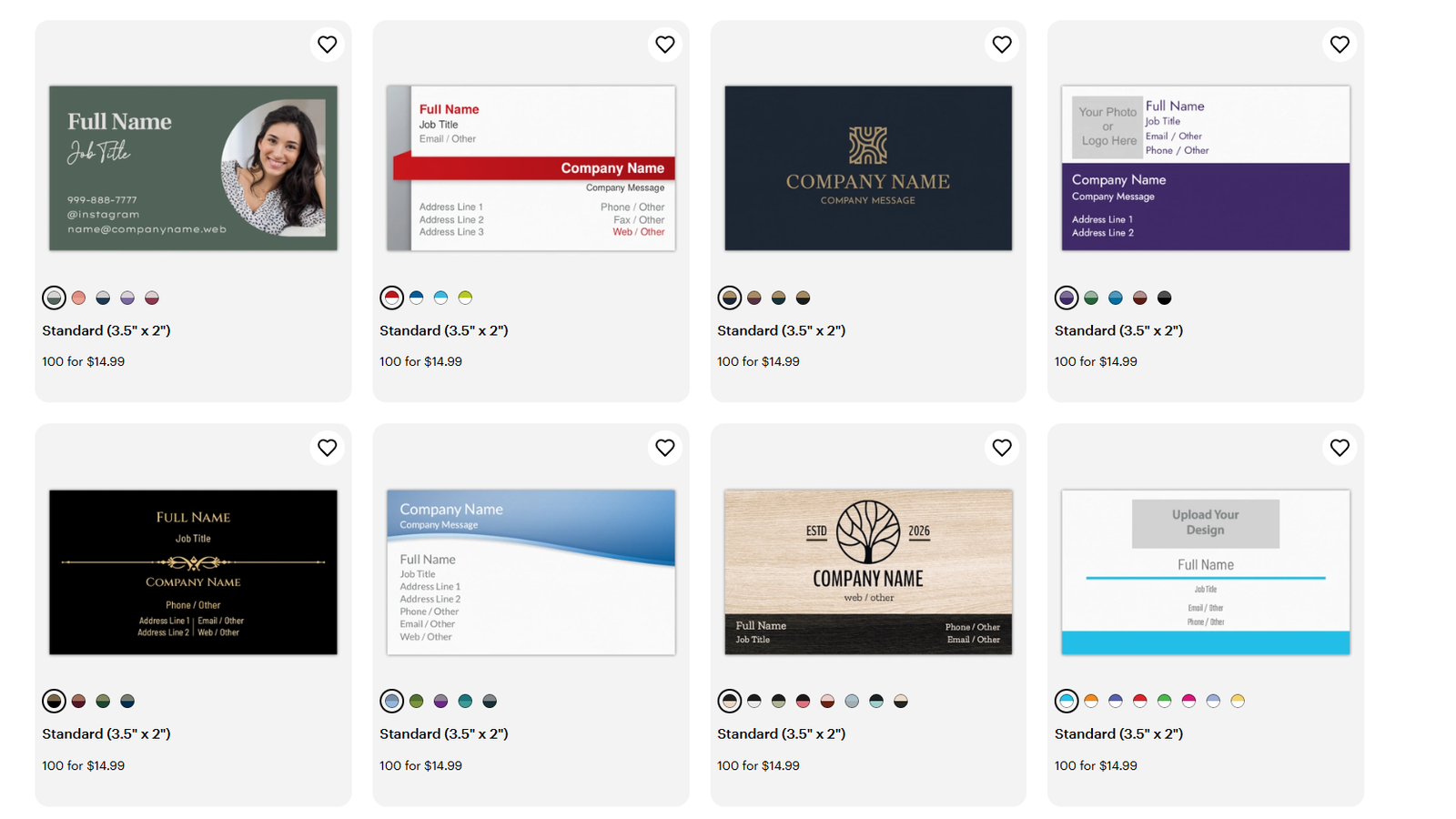
A dirty secret of the best business card design tools online conversation is that the tool only matters until your cards arrive.
- MOO is the strongest “design tool plus premium feel” combo. Their whole ecosystem is built around good-looking stocks, clean templates, and tight finishing. If you hate surprises, this is the safest “I want it to look expensive” pick.
- VistaPrint is usually “good enough” for normal business cards. Not boutique, but rarely embarrassing.
- Zazzle is where things get tricky: the design and template ecosystem is excellent, but print consistency is not the reason people recommend it.
- If print quality is the priority and the design tool is secondary, Jukebox, Primoprint, Clubcard, PrintRunner, UPrinting are often better “bring-a-file” printers than they are browser editors.
Price and Value
Value is basically: “how much design help do you get before you pay a designer anyway?”
- VistaPrint wins “value for non-designers” because it’s built to get you to a decent layout fast, and it runs promos constantly.
- Zazzle can be a decent value if you’re buying a design style you never could have built yourself (super niche, weirdly specific, very you). But you are paying for the marketplace convenience, not best-in-class printing.
- MOO is rarely the cheapest. You’re paying for nicer cards and a more curated design experience.
- Everyone else tends to split into:
- Trade-style printers with weaker editors but strong pricing for upload-ready files (Primoprint, PrintRunner, UPrinting).
- Fast-turn shops with usable tools and templates (48HourPrint, Elite Flyers).
- Template-light specialists where the “tool” is basically a PDF template and a prayer (Clubcard, some PrintPlace workflows).
Design, Templates, and Customization
Most people don’t need “a design tool.” They need one of these:
- A strong template library that doesn’t look like clipart court
- An editor that won’t fight you for 40 minutes over alignment
- An upload workflow that won’t break your carefully-built file
Here’s how the big three actually differ.
VistaPrint: the default answer for a reason
VistaPrint’s editor and template depth are built for speed. You can start from templates, customize fonts/colors/images, drop in a logo, and keep moving. They also push helpful add-ons like QR code business cards and related tools in the same ecosystem.
If you’re hunting for the best business card design tools online because you need something presentable by tonight, VistaPrint is the safest bet.
Where VistaPrint is weaker: it’s not the most “designer-cool” template set, and it’s not the most premium print output in the world. It’s just dependable.
Zazzle: the marketplace template machine
Zazzle is less “printer with templates” and more “template marketplace that also prints things.” The upside is ridiculous variety: you can browse by profession, style, and vibe, then customize via a drag-and-drop editor.
This is the pick when you want:
- A niche layout (like “mobile notary with a goth aesthetic”)
- A very specific style that doesn’t exist in normal printer libraries
- Something quirky without hiring a designer
The tradeoff: you’re not choosing Zazzle because you’re a paper snob. You’re choosing it because the design is doing the heavy lifting.
MOO: curated templates + the “different backs” superpower
MOO’s templates are smaller in quantity than VistaPrint or Zazzle, but they’re generally more design-forward. The editor is straightforward, and MOO is unusually good at turning “simple” into “clean.”
Also, MOO’s signature feature is Printfinity, which lets you print multiple designs in one pack (most famously, different backs on every card). If you’re a creative, photographer, realtor, or anyone who wants a mini portfolio in your pocket, this is the easiest way to do it without inventing a whole workflow.
MOO also supports QR code business cards and ties it into their design flow, which is handy if you want a scannable “take people to my link” card without fiddling around elsewhere.
Quick scorecard: Templates & Tools (PrintReviewer internal scoring)
These scores are relative (1–5) within our reviewed group, not absolute truth handed down from the print gods. But they’re useful for a fast shortlist.
| Printer | Templates & Tools score |
|---|---|
| VistaPrint | 5.0 |
| Zazzle | 4.8 |
| MOO | 4.5 |
| Instantprint (UK) | 4.2 |
| 48HourPrint | 4.0 |
| Elite Flyers | 3.8 |
| PsPrint | 3.6 |
| GotPrint | 3.4 |
| Jukebox | 3.2 |
| Printiverse | 3.0 |
| UPrinting | 2.8 |
| PrintRunner | 2.6 |
| Minted | 2.4 |
| Primoprint | 1.8 |
| PrintPlace | 1.5 |
| Clubcard Print | 1.2 |
Everyone else: who’s actually good at design tools
If you want alternatives beyond the big three, here are the ones that matter.
Instantprint (UK): surprisingly strong templates + easy online design
If you’re in the UK and want something closer to VistaPrint’s “pick a template and go” energy, Instantprint is one of the friendlier options.
48HourPrint: “get it done” templates + a real editor
If speed is your priority and you still want a usable in-browser tool, 48HourPrint’s Create48 setup is solid.
Elite Flyers: decent design tool, tons of templates, more “promo print” vibe
Good when you want lots of templates and fast turnaround, especially if you’re ordering bigger batches.
PsPrint and GotPrint: workable editors, not fancy
They’re functional, especially if you start from a template and don’t try to do anything too clever inside the browser.
PrintRunner and UPrinting: upload-first workflows with helpful file tools
These are better if you already have a design (Canva/Illustrator/etc.) and want templates, file checks, and proofing support more than a “fun” template playground.
Jukebox: the sleeper pick for DIY designers
Jukebox has a business card maker, but the more interesting angle is workflow: it can let you design and then download a print-ready PDF. That’s rare, and useful if you want to keep control of your file.
Clubcard: templates for designers, not an online editor
Clubcard’s “tools” are basically print-ready templates meant for people already using design software. Great if that’s you. Useless if it’s not.
Customer Service
Design tools reduce mistakes. Customer service fixes the mistakes you still make anyway.
- MOO tends to be strong here, and they also emphasize hand-checking and proofing.
- VistaPrint is usually fine, with lots of support infrastructure.
- Zazzle is more mixed, largely because marketplace models add complexity.
- Printers like Primoprint, PrintRunner, PsPrint tend to shine when you bring your own file and want a competent team to catch problems before they print.
Ordering Experience & Tools
This is where “design tool” becomes broader than templates.
Helpful ordering tools include:
- Built-in QR code tools (so you’re not pasting a blurry QR image you found in your downloads folder)
- Saved drafts and reorders (so you’re not rebuilding the same layout every year)
- Downloadable print templates with bleed/safe zones (for upload-ready workflows)
- File checking and proofs (especially if you designed elsewhere)
A few standouts:
- VistaPrint: strong editor flow, templates, and QR-related options.
- MOO: clean editor + Printfinity workflows + QR code tools.
- Zazzle: customization flow is easy, especially when starting from marketplace designs.
- PrintRunner: upload tools, templates, and free file checks are more valuable than a flashy editor.
- Clubcard: templates are genuinely useful if you design in pro tools.
- Jukebox: interesting for the “design it, then download a print-ready PDF” angle.
Turnaround Time and Shipping
Tools don’t help if your cards arrive after the event where you needed them.
- Fast-turn picks tend to be 48HourPrint, Elite Flyers, PrintRunner, and (often) VistaPrint depending on region and shipping tier.
- MOO is not usually the fastest, especially if you’re choosing premium finishes.
- Zazzle varies because the catalog is huge and production can differ by product and configuration.
- If you need true emergency speed, local retail print options (like same-day pickup) can beat any online editor. It’s not glamorous, but neither is showing up empty-handed.
Use Cases / Best For
VistaPrint is best for
- “I need a decent design tool and a million templates”
- Small businesses that want something clean without hiring a designer
- People who want a simple end-to-end workflow
Zazzle is best for
- Extremely niche templates and styles
- Quirky, specific aesthetics
- Anyone who wants to start from a “finished design” and just personalize details
MOO is best for
- Premium-looking cards with a polished template set
- Creatives who want Printfinity (multiple designs in one pack)
- Anyone who cares about how the card feels in-hand
Instantprint (UK) is best for
- UK buyers who want a strong template and online design experience
48HourPrint is best for
- Fast turnaround plus a usable in-browser tool
Jukebox is best for
- Designers who want premium options but still want some online tooling
- People who like the idea of downloading a print-ready PDF after designing
Clubcard is best for
- Designers who already use real design software and just need correct templates
If you’re still stuck, here’s the simplest way to choose: pick the tool based on how you design.
- If you design in-browser: VistaPrint, Zazzle, MOO
- If you design in Canva or Adobe: pick the printer for quality and file support (Primoprint, PrintRunner, Jukebox, Clubcard)
- If you want the best of both: MOO or VistaPrint, depending on whether “premium feel” matters more than “endless templates”
And yes, that’s the third time I’ve used best business card design tools online. SEO is a strange hobby.
Pros and Cons
VistaPrint
Pros
- Best-in-class template depth and beginner-friendly editor
- Smooth “start from template” workflow
- Lots of related design helpers in the ecosystem
Cons
- Not the most premium-feeling cards compared to boutique printers
- Templates can feel a bit same-y if you don’t customize heavily
Zazzle
Pros
- Massive marketplace of designs and niche templates
- Easy personalization with a drag-and-drop editor
- Tons of styles you won’t find elsewhere
Cons
- Print consistency is not the main selling point
- Marketplace sprawl means you have to curate harder
MOO
Pros
- Polished templates and a clean editor
- Printfinity is genuinely useful for creatives
- Premium feel is strong
Cons
- Pricing is premium
- Not usually the fastest option
Everyone else
Pros
- Some offer better print value or better specialty options than the big three
- Upload-first printers can be better if you already have a design
Cons
- Tools often lag behind the big platforms
- Many “templates” are just layout files, not real designs
Final Verdict / Conclusion
If your goal is the smoothest path from “blank screen” to “decent card,” VistaPrint is still the safest recommendation.
If your goal is “find a design that already matches my oddly specific vibe,” Zazzle is hard to beat, just don’t pretend it’s a premium print shop.
If you want the best blend of good templates, good editing, and cards that feel like you spent actual money, MOO is the cleanest choice.
And if you already design elsewhere, stop grading printers on their browser editors. Pick a printer that prints well, supports upload-ready files, and catches mistakes before they ship.