
Sticker printing has a funny way of exposing weak links. Colors look “almost right” until you run 300 sheets. Cutlines behave until you batch ten jobs. And the moment you add a table cutter or a second printer, your “simple workflow” turns into three different apps and a lot of crossed fingers.
That’s the context where Wasatch SoftRIP makes sense. It’s RIP software built around two things sticker shops care about a lot: repeatable color and print-and-cut workflows that don’t fall apart at scale. In this review, I’ll walk through what Wasatch does well, what it’s missing compared to other RIPs, and who should actually buy it.
What Wasatch SoftRIP is and where it fits
Wasatch SoftRIP is a production RIP with a strong color-management backbone and a lot of finishing workflow support. It’s not trying to be a design app. Think of it as the “production brain” that takes your print-ready file and turns it into consistent output—while also managing contour cuts, barcodes, and cut-file matching for finishing.
If your sticker workflow looks like this, you’re in the target zone:
- You print stickers (roll or sheets) and contour cut them
- You run more than one cutter, or you cut on a different device than you print
- You want fewer “operator preference” settings and more locked-down consistency
- You care about smooth gradients, clean spot color control, and repeatable profiles
The big selling point: barcode-driven print-and-cut and table cutting
This is where Wasatch gets interesting.
Barcode print-and-cut for roll cutters
Wasatch has supported a barcode-driven print-and-cut workflow for a long time. The concept is simple: the RIP prints a barcode with the job, and that barcode ties directly to the job’s cut path. So the cutter can scan the print and automatically match the correct cut file without you babysitting the process.
If you’ve ever had a day where prints got stacked wrong and cuts went to the wrong jobs, you already know why barcodes matter.
Table cutting workflows (Zünd, i-cut, OptiSCOUT)
Wasatch also has a dedicated Table Cutting workflow that prints identifying barcodes in the margins (for supported workflows) and names output cut files to match those barcodes. The point is speed and fewer human mistakes: scan barcode → table cutter grabs the right cut file automatically.
That’s a real production upgrade if you’re running:
- mixed job batches
- tight deadlines
- a finishing team that doesn’t want to “hunt for the right cut file” all day
Contour cutting in Wasatch: what it supports and what it costs
Here’s the part that trips people up: in Wasatch, cutting is typically handled via options.
The Contour Cutting Option
Wasatch’s supported device list makes it clear that cutting devices require the Contour Cutting Option. If you’re budgeting, treat contour cutting as “part of the system,” not a free add-on.
Wasatch also positions contour cutting around a few practical needs:
- Creating cut paths inside the RIP (their Tracer tool exists for this)
- Importing cut paths from major design apps
- Handling “print here, cut there” workflows cleanly
Supported cutters for sticker shops
Sticker shops commonly live in Graphtec and Summa land, and Wasatch lists support for many popular cutter families (including Graphtec CE/FC series, Summa S Class and F-Series, and more). The list is broad, but the key takeaway is: you can usually keep your cutter workflow inside one RIP ecosystem, even if your finishing gear changes later.
Color management: ICC profiles, calibration, and spot color control
A lot of RIPs claim “great color.” Wasatch leans into color as a core identity, and the documentation supports that it’s built around real profiling concepts—not just slider magic.
ICC profiles and Lab* workflow basics
Wasatch talks about ICC profiles in terms of Lab* color space (which is exactly how color management is supposed to be framed). It also includes tools like profile visualization so you can see gamut behavior and mapping in a more technical way when you need it.
Calibration and staying consistent over time
One detail I like: Wasatch documentation explicitly calls out that re-calibrating can help adapt output when conditions change, like media or humidity shifts. That’s real life in a print shop. You don’t “profile once” and live happily ever after.
Spot Color Replacement that’s built for production
Wasatch has a full Spot Color Replacement toolset. For sticker shops, this matters when:
- a customer has a brand color that lands weird on a specific vinyl
- files come in with sloppy spot definitions
- you need a controlled workaround that doesn’t wreck everything else
Color Atlas Generator (a very shop-friendly idea)
Wasatch’s Color Atlas approach is basically: generate swatch output through your real profile on your real material, then match based on what the printer can actually produce. That’s a practical way to reduce “the screen lied to me” arguments, especially with picky brand customers.
Pantone workflows (CxF import)
Wasatch also advertises the ability to import Pantone color databases via Pantone Color Manager using CxF import. That’s one of those features you don’t need every day—until you do, and then you really want it.
Print quality and gradients: 16-bit rendering and PSS halftoning
If you print stickers with smooth gradients, light tints, or subtle shading, you’ve probably seen banding or stepping at least once.
Wasatch pushes two quality-related concepts a lot:
- 16-bit rendering
- Precision Stochastic Screens (PSS) halftoning
The most honest framing is this: 16-bit workflows don’t magically fix bad art or bad profiles. But they can help when you’re doing work where smooth transitions and refined grays actually matter. Wasatch even has content explaining that 8-bit is “enough” for many jobs—but 16-bit becomes valuable when you’re chasing more refined gradients and precision work.
So if your stickers are mostly bold shapes and flat color, this won’t change your life. If you print detailed illustrations, soft fades, or high-end label work, it’s a real differentiator.
Workflow and usability: imaging configurations, annotations, and production discipline
Wasatch uses the concept of an Imaging Configuration, which is basically: “an ICC profile plus the RIP settings that make it behave correctly.” That’s a good mental model because it pushes you toward repeatability.
One workflow detail that’s worth copying: Wasatch documentation recommends enabling print annotations (printer, imaging config, date/time, comments). That’s boring… until you’re trying to answer “why did this run look different than last week?” Annotation turns that into a 10-second answer instead of a guessing game.
System requirements and update cadence
Wasatch is Windows-based, and the company publishes recommended and minimum specs. The recommended hardware is very “modern RIP workstation”: fast quad-core CPU, lots of RAM, and SSD storage. That’s what you want if you’re nesting big jobs, ripping high-res art, or running multiple devices.
They also publish current downloads with revision dates. That matters because RIPs are only as useful as their driver and device support over time.
Pricing: subscriptions, print units, and what you’re really buying
Wasatch currently lists three subscription plan types (monthly auto-pay, month-to-month, and prepaid annual). The key detail isn’t just the monthly price—it’s that subscriptions include access to updates, configurations, and tech support.
Wasatch also calls out that two print units come standard and you can add more up to a higher cap (useful if you’re scaling printers over time). For sticker shops, that’s a big deal because “we bought a second printer” is where a lot of RIP licensing gets annoying.
Wasatch vs ONYX, Flexi, Caldera, Fiery XF, and OEM RIPs
Here’s the part you actually care about: where Wasatch wins, and where it’s not the best tool.
Wasatch vs ONYX
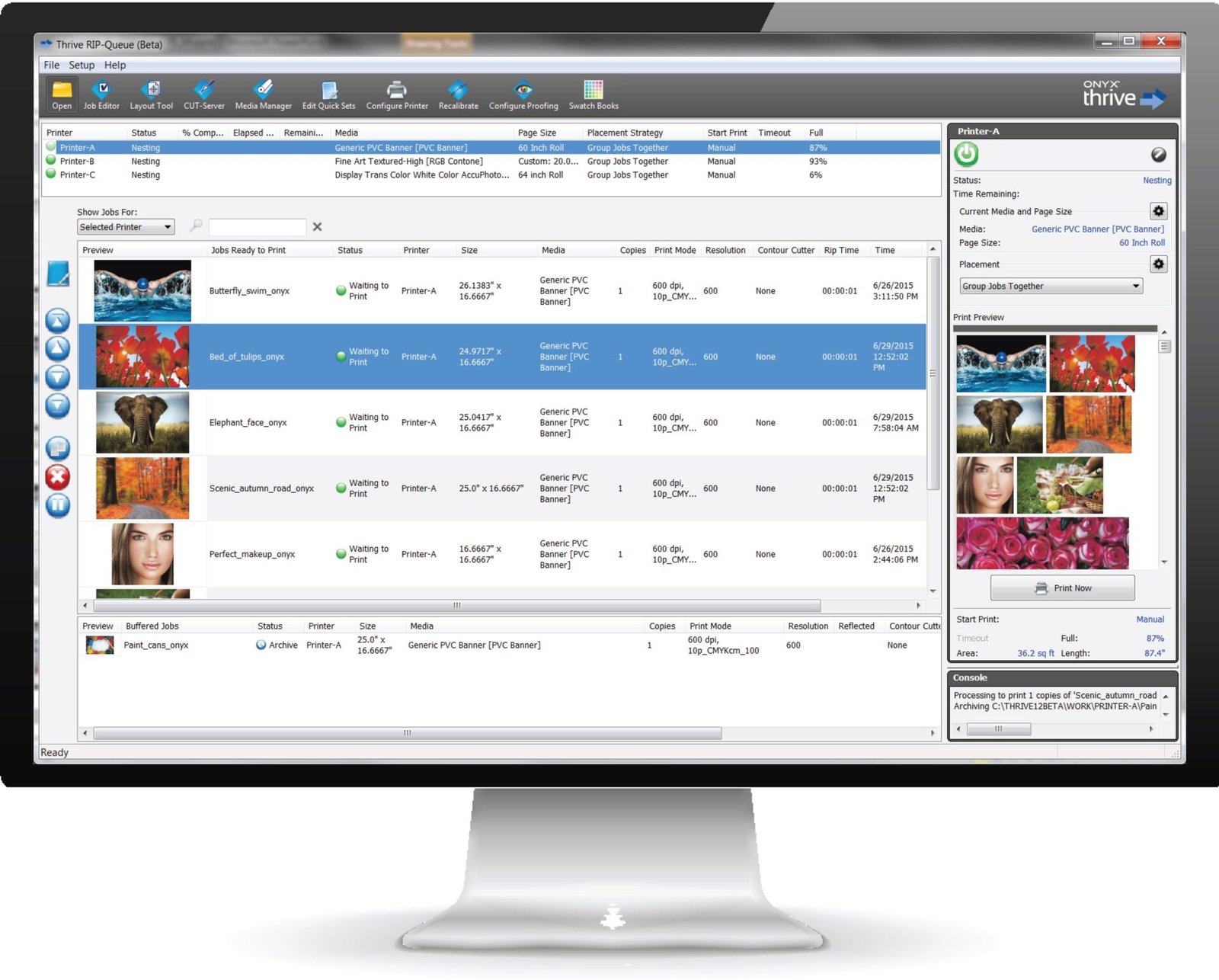
ONYX is a workflow monster—especially in bigger shops with heavy automation (Quick Sets, hot folders, Cut-Server style setups). Wasatch can absolutely run production workflows too, but Wasatch’s “signature” in sticker land is the finishing alignment story: barcode print-and-cut and table cutting.
If your priority is:
- automated production lanes and standardized presets across operators → ONYX feels very natural
- barcode matching and finishing simplification → Wasatch is a strong contender
Wasatch vs SAi Flexi
Flexi is popular because it feels all-in-one: design-ish tools + RIP + print/cut in one ecosystem. Wasatch is more “RIP-first.” If your team edits cutlines, layout, and design details at the RIP station, Flexi often feels more convenient.
If your priority is:
- one app that does design tweaks + output → Flexi
- color control and production finishing workflows → Wasatch
Wasatch vs Caldera (and PrimeCenter)
Caldera becomes the pick when prepress automation is the bottleneck—especially if you’re using PrimeCenter to automate repetitive prep tasks (cut lines, bleed, marks, nesting, layout creation).
Wasatch is not trying to be PrimeCenter. It’s trying to be a RIP with finishing workflow strength and deep color tools.
If your pain is “file prep takes forever,” Caldera + PrimeCenter is hard to ignore. If your pain is “print-and-cut matching and color repeatability,” Wasatch stays compelling.
Wasatch vs Fiery XF
Fiery XF leans into proof-grade color controls, verification, and modular production options (including cut marks or cut server options depending on configuration). If you’re running a print business where standards and verification are part of the job, Fiery is built for that.
Wasatch can still be a great color tool, but Fiery’s ecosystem is often aimed at a different tier of production control and compliance.
Wasatch vs OEM RIPs (VersaWorks, RasterLink, etc.)
OEM RIPs win on “it works out of the box” when you live entirely inside one manufacturer’s world. If you’re running a Roland print/cut and everything is stable, VersaWorks is hard to beat for simplicity.
Wasatch becomes more attractive when:
- you want broader device flexibility
- you’re adding cutters/table cutters
- you want barcode-driven finishing workflows
- you want a RIP that doesn’t lock you into one printer brand
Pros and cons (the honest list)
Pros
- Strong print-and-cut story, especially barcode-driven workflows
- Table cutting support that reduces cut-file matching mistakes
- Serious color management tools (ICC, calibration, spot color replacement)
- Quality features like 16-bit rendering and PSS halftoning for gradient-heavy work
- Clear published system requirements and ongoing updates
- Subscription model includes support and updates, with scaling via print units
Cons
- Cutting features often require paid options (plan for it)
- Not a design suite (you’ll still live in Illustrator/Corel/etc. for real design work)
- Windows-only environment for the RIP workstation
- Like any RIP, you only get consistency if you standardize your presets/configurations
Who should buy Wasatch SoftRIP for stickers?
Wasatch is a great fit if you:
- run a real volume of print-and-cut sticker jobs
- want barcode-driven workflows to reduce finishing errors
- use (or plan to use) a table cutter workflow where file matching is a daily time sink
- care about consistent brand color and repeatable profiles
You might skip Wasatch if you:
- mostly need a simple OEM workflow that already works
- want an all-in-one design + RIP experience
- don’t need barcode/table cutting workflows and just want “basic print and cut”
Final verdict
This Wasatch SoftRIP review comes down to one thing: Wasatch is built for production reality. It’s not trying to be flashy. It’s trying to keep print-and-cut and color consistent when the shop gets busy.
If you’re running a sticker operation where finishing speed and mistake-proofing matter, Wasatch’s barcode-driven workflows and table cutting support are the kind of features that pay for themselves in saved time and fewer reprints. Add the color toolset and the 16-bit/PSS quality angle, and you’ve got a RIP that’s genuinely worth shortlisting—not just “another RIP option.”