
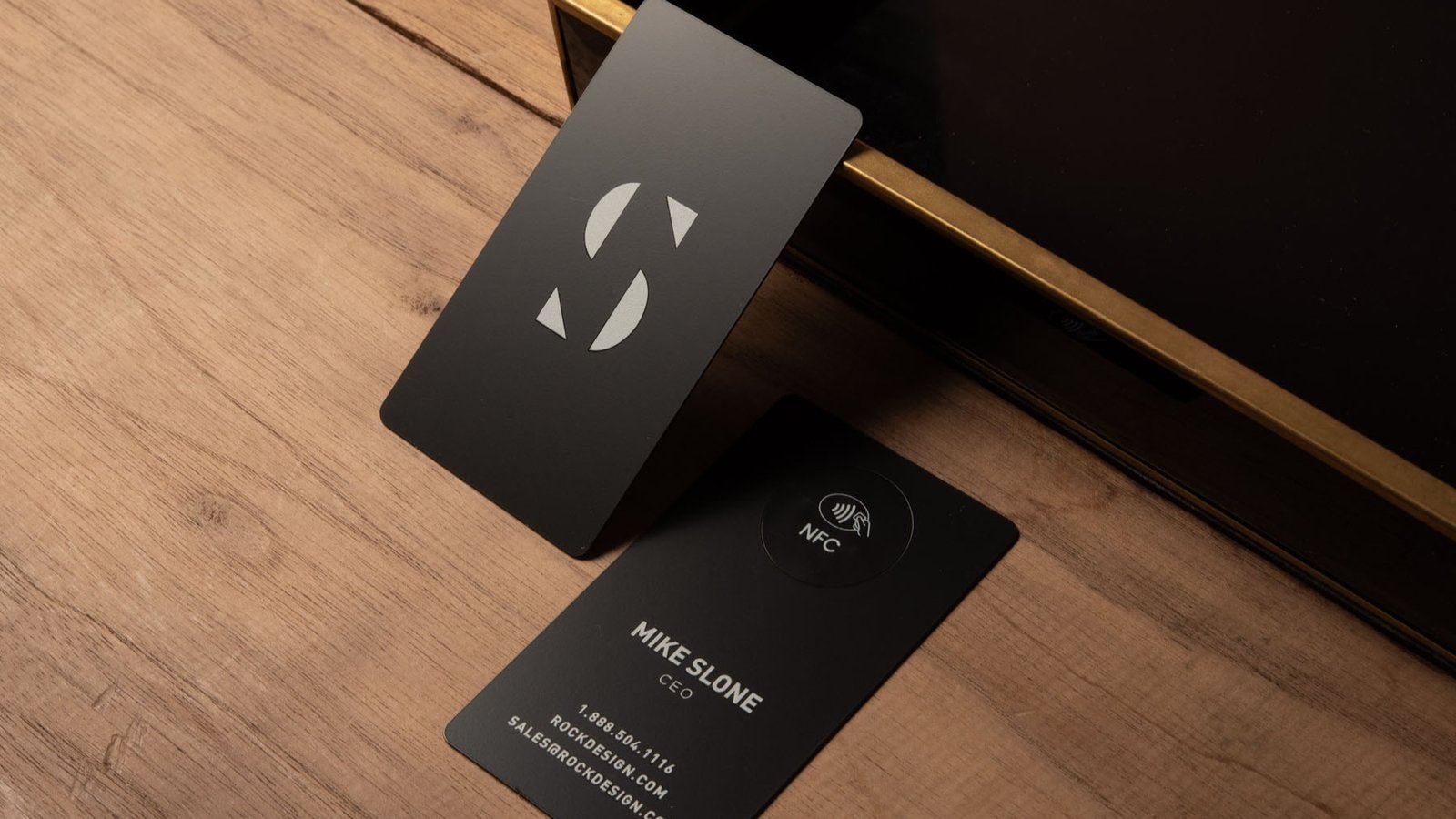
NFC business cards sound like the perfect upgrade: tap, share, done. And when they work, they feel magical in that “why did we ever do paper?” way. The problem is that NFC business cards can also turn into a mini tech support moment at the exact time you least want one.
This guide is the practical version: what NFC does well, where it falls apart, and which options tend to work in real life without awkward fumbling.
TLDR
Buy NFC business cards if…
- You network often (events, sales calls, client meetings) and you hate carrying a stack of cards.
- Your info changes (new role, new booking link, new portfolio) and reprinting paper feels dumb.
- You want a single “hub” link that’s always current.
Stick to traditional print if…
- You mostly meet people in places where phones stay in pockets (job sites, shop floors, busy retail).
- Your audience skews older or “not in the mood to tap things.”
- You need a card that works even when the other person’s phone is dead, locked down, or just being weird.
The simplest setup that wins most of the time
- NFC that opens a URL
- A QR code that opens the same URL
- Readable contact basics printed on the card (name, company, phone, email)
If you do only one thing: make sure your NFC business cards still function as normal business cards when the tech part gets ignored.
What NFC business cards do well
1) They remove friction when the tap works
A good tap is faster than:
- spelling your email
- handing someone a card they will lose
- watching them take a photo they will never look at again
2) They let you share more than a business card can hold
The best use of NFC is not dumping 12 social links on someone. It is giving them one clean landing page that includes:
- “save contact” button
- calendar/booking link
- portfolio or listings
- a short “what i do” line
3) They can capture leads (if you actually need that)
Some platforms let the other person share their contact info back to you, or log “taps” and scans. This is useful for sales teams and event booths. It is also overkill if you just want a better business card.
Where NFC business cards fail
Here are the common ways NFC business cards go from “slick” to “ugh.”
1) Phone compatibility edge cases
Not every phone behaves the same:
- Some iPhones support background reading and some need a more explicit scan behavior depending on model and OS.
- Some Android phones have NFC disabled, or the user toggled it off years ago and forgot.
2) The tap target is not obvious
People do not know where to tap. Even when you tell them, they will tap the wrong spot, then look at you like you sold them a haunted card.
This is why having a QR code on the card is not “old school.” It is your insurance policy.
3) Dead links and abandoned profiles
This is the quiet killer. The physical card lasts years. The landing page might not.
If the profile is tied to:
- a subscription you stop paying
- a vendor account you forget
- a service that changes its rules
…your NFC business cards can turn into fancy plastic that opens a sad error page.
4) App or account friction
If the other person has to install an app or create an account to do anything meaningful, your conversion rate drops hard. Most people will not do it during a quick intro.
Do NFC business cards work with every phone?
They can work with “almost every phone” in the way that airport Wi-Fi works with “almost every laptop.” Usually yes, until it’s your turn.
The safest, most compatible format is:
- an NFC tag that opens a web URL (NDEF format)
- plus a QR code to the same URL
A few practical notes:
- iPhone background tag reading started on the iPhone XS / XS Max / XR generation. That means lots of people are fine, but you will still meet someone where it’s not effortless.
- On iPhone, background tag reading behavior has specific requirements and conditions (screen on, not in Apple Pay/Wallet, etc.).
- On Android, NFC is broadly supported, but compatibility is best when you use standard NFC Forum tag types with NDEF payloads.
Bottom line: if your NFC business cards launch a normal webpage from a tap, you are doing it the “most likely to work” way.
Print quality and materials
This part matters more than most NFC brands want to admit. A cheap card with a chip is still a cheap card. If your print looks like a blurry office badge, people notice.
PVC (plastic)
- Pros: durable, water resistant, affordable
- Cons: can scratch, especially with low-end printing
Metal
- Pros: premium feel, hard to ignore, great first impression
- Cons: more expensive, heavier, and some designs scuff if the finish is bad
Wood / bamboo
- Pros: memorable, warm, “craft” vibe
- Cons: print consistency varies, and durability depends on the coating
Finishes that matter
- Scratch resistance is real. Your card rides in wallets, pockets, bags, and gets dragged across counters.
- Matte can look premium but may show oils and wear differently than gloss.
- If your card has a QR code, it needs to stay readable after months of abuse.
Setup and ownership: who controls the link?
This is the part most people skip, and it determines whether your NFC business cards are a tool or a trap.
There are basically three setups
1) You write your own URL to the tag (most control)
- You encode the NFC tag with a URL you own (your website, your own landing page, a page you control).
- If you switch platforms later, you update your website, not your physical card.
This is the “sleep well at night” option.
2) Vendor-managed profile with a free tier (usually fine)
- The NFC tag opens a vendor profile page that you can edit.
- This is convenient, but you are trusting that vendor to keep that basic profile alive long-term.
This can be totally fine, especially if the platform is stable and you keep your login info.
3) Subscription-gated profiles (highest risk)
- Some platforms require an active subscription to use the app, link the product to your account, or keep certain features enabled.
If you go this route, treat it like software, not a one-time purchase. You are renting part of the experience.
The “subscription trap” checklist
Before you buy, confirm:
- Does the tap still open my info if I cancel?
- Can I change the destination link without paying?
- Does the other person need an app?
- Can I export leads/contacts if I leave?
If any answer is unclear, assume future-you will be annoyed.
Best NFC business cards that actually work in 2026
This is not “every brand on earth.” It’s the short list of approaches and platforms that tend to check the real-world boxes: tap opens a browser, QR fallback exists, and the basics are not a hostage situation.
Best no-drama, one-time purchase vibe: dot.
Why it works:
- Browser-based sharing and “no app required” is exactly what you want for strangers.
- They position basic sharing as not requiring a subscription, with optional upgrades for advanced features.
Who it’s for:
- Individuals, creatives, and small business owners who want simple, clean, and reliable.
Best “buy once, still get lead capture tools”: Mobilo
Why it works:
- Clear pricing for physical cards and positioning around a one-time purchase model, with a profile you can edit.
- Built around business use cases like lead capture and integrations.
Who it’s for:
- People who want NFC business cards to be a practical sales tool, not just a novelty.
Best for teams and event lead capture: Popl
Why it works:
- Strong focus on teams, event lead capture, and CRM workflows.
- Pricing and features are clearly structured for individuals vs teams, and subscriptions unlock the heavier sales tooling.
Who it’s for:
- Teams that want centralized control, analytics, and lead capture from in-person events.
Best for premium materials and “this feels expensive”: V1CE
Why it works:
- Lots of material choices and strong emphasis on the digital profile being included with the card.
- If you care about how the card itself feels, this category generally does better than bargain NFC cards.
Who it’s for:
- People where the physical card is part of the brand impression.
“Read the fine print” pick: Linq
Why it works for the right person:
- Serious sales and team features exist.
Why it can be a headache: - Some Linq product flows indicate an active subscription is required to link the product to your account, and support materials describe subscription plans.
Who it’s for:
- Organizations already committing to an ongoing platform subscription and wanting deeper sales workflows.
Best for: real estate, creators, sales teams, conferences
Real estate
Best setup:
- Tap opens a page with: featured listings, “book a showing,” reviews, and a contact save button.
What matters: - QR code must be prominent because people will be juggling bags, kids, or coffee.
Good fit:
- Simple browser-first cards (dot) or business-oriented platforms (Mobilo). Team setups can justify Popl.
Creators (photographers, designers, artists, freelancers)
Best setup:
- Tap opens a lightweight portfolio page that loads fast on mobile.
What matters: - Your landing page speed matters more than you think. A slow page kills the magic.
Good fit:
- Premium-feel physical cards (V1CE category) plus a clean landing page.
Sales teams
Best setup:
- Tap opens a page with a short pitch, product one-pager links, and lead capture.
What matters: - CRM sync and consistent branding across reps.
Good fit:
- Popl for teams. Mobilo can also fit if you want a more straightforward “business growth” posture without the heaviest event stack.
Conferences and trade shows
Best setup:
- Tap opens a page with: “what we do,” a 30-second explainer, and a lead form.
What matters: - Volume. You want quick taps, fast page load, and clean follow-up.
Good fit:
- Popl if you are treating events like a pipeline channel. Otherwise, any browser-first NFC business cards with QR fallback can work if your landing page is tight.
The practical recommendation: NFC + printed fallback
Here’s the setup that avoids 90 percent of NFC awkwardness:
- NFC opens a single URL
- QR code opens the same URL
- Printed basics are still readable:
- Name
- Role
- Company
- Phone
Also add a tiny instruction line that does not sound cringe:
- “Tap or scan to save contact”
If you want to get fancy, fine. Just make sure the card still works when someone refuses to tap anything on principle (and they will).