
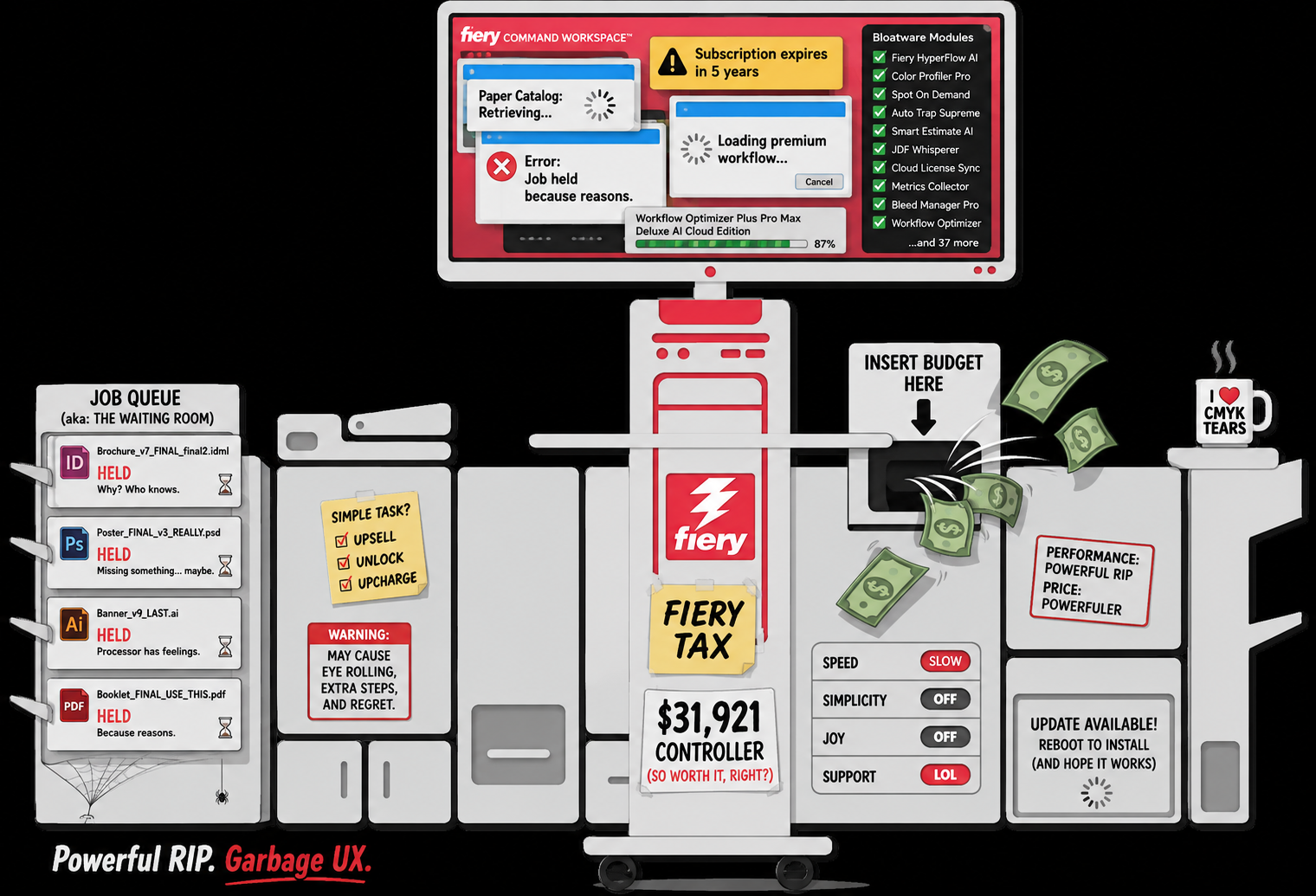
Here is the shortest possible Fiery Command WorkStation review:
It is capable production-print software wrapped in a user experience that regularly feels like punishment for choosing commercial printing as a career.
And before the Fiery people send an angry email, yes, technically Command WorkStation is not the RIP. The Fiery server is doing the RIP processing. Command WorkStation is the primary job-management interface used to control the Fiery server.
Fine.
That arguably makes the problem worse.
Command WorkStation is the cockpit.
And if you are going to sell production-print controllers that can cost tens of thousands of dollars, perhaps the cockpit should not feel like enterprise software designed by a committee whose only shared value was a deep affection for dropdown menus.
The Annoying Part: Fiery Command WorkStation Is Genuinely Powerful
Let’s get this out of the way first.
Command WorkStation can do an enormous amount.
Operators can use it to:
- manage held, processing, printing and completed jobs
- alter job properties without returning to the source application
- assign media
- control finishing
- create and use presets
- manage color settings
- preview jobs
- impose documents
- inspect job logs
- work with spot colors
- connect to multiple Fiery servers
- use Hot Folders and workflow automation
- administer the Fiery itself
For a production operator, this is not a toy print dialog.
It is the control center of the shop.
And when everything is configured correctly, Fiery can push an impressive amount of work through a digital press.
That is why the software survives.
Not because the interface is pleasant.
Because underneath the interface is an extremely useful collection of production tools.
Fiery Command WorkStation Has Accumulated Features. It Has Not Accumulated Grace.
The central problem with Command WorkStation is that it feels accreted rather than designed.
There are settings everywhere.
Media settings.
Layout settings.
Finishing settings.
Image settings.
Color settings.
Device-specific settings.
Server settings.
Preset settings.
Paper Catalog settings.
And depending on the press, controller, Fiery version, installed package and licensed options, the thing you are looking for may not behave exactly the way it did on the other Fiery sitting 20 feet away.
Experienced operators eventually learn it.
That is not the same thing as good UX.
People also learn how to file corporate taxes.
Nobody describes Form 1120 as delightful software design.
Fiery Calls the Interface “Intuitive”
Fiery’s own current material describes Command WorkStation as having an intuitive interface.
That word is doing heroic amounts of labor.
There is a difference between familiar and intuitive.
Command WorkStation is familiar to experienced print operators because Fiery has been around forever and thousands of shops have built their production workflows around it.
Once you know that a particular control is buried under a particular tab, everything is fine.
The problem is getting there.
A genuinely intuitive production interface should expose the controls most relevant to the task at hand and make deeper controls available progressively.
Fiery often feels like it has decided every checkbox deserves citizenship.
The result is a system where experienced users can accomplish almost anything, but inexperienced users can spend a truly impressive amount of time wondering why the machine refuses to staple something.
The Paper Catalog Is a Perfect Example
Paper Catalog should be boring.
It is a database of media.
You pick your stock. The press understands the stock. Everyone moves on with their lives.
Instead, Paper Catalog has managed to become one of those Fiery features experienced operators discuss with the grim familiarity normally reserved for an unreliable relative.
And Fiery’s own Command WorkStation 7.2 release notes contain a fascinating little detail.
For large Paper Catalogs with more than 200 entries, Fiery says it improved caching so that opening the Paper Catalog dropdown can now be up to three times faster than previous versions.
Good.
Seriously. Faster software is good.
But that release note also raises an obvious question:
Why was selecting paper from a dropdown in a high-end production system slow enough that making it three times faster was notable?
This is not ray tracing.
It is paper.
A current Commercial Printing community thread also describes a user running into a recurring “retrieving Paper Catalog database” problem that ultimately required rebuilding the media catalog.
One forum post does not prove universal unreliability.
It does demonstrate that the Paper Catalog headaches experienced by operators are not imaginary.
Version 7.2 Accidentally Contains a Great Review of Previous Fiery UX
Fiery Command WorkStation 7.2 actually improves a number of things.
Some are useful.
Some are unintentionally hilarious.
For example, Fiery says the Job Error Report is now non-modal, meaning operators can continue working while the report is generated.
Excellent.
Fiery also says opening the Job Log no longer prevents the operator from preparing and printing jobs.
Also excellent.
But read that again.
In a production-print application, opening the job log previously interfered with preparing and printing jobs.
Version 7.2 fixed it.
That is less “innovation” and more “we finally removed the rake from the floor.”
Another listed improvement is a redesigned What’s New popup where users no longer have to scroll through everything and can choose topics from a pane.
Again, fine.
But when I think about the things a production operator desperately wants improved in Command WorkStation, “the What’s New popup involves too much scrolling” would not have made my first several pages of notes.
Simple Jobs Are Fine. Weird Jobs Reveal the Architecture.
Command WorkStation is easiest to tolerate when the job is simple.
Upload PDF.
Select quantity.
Assign media.
Print.
Fantastic.
The trouble begins when real commercial printing shows up.
Mixed media.
Custom sizes.
Booklets.
Bleeds.
Image shifts.
Finishing combinations.
Multiple trays.
Duplex orientation.
Slip sheets.
VDP.
Imposition.
Specialty stocks.
Overrides.
Engine restrictions.
Suddenly, the operator is negotiating with a stack of interdependent settings where changing one property can alter the availability of another.
Some of this complexity is unavoidable.
Commercial presses are complicated machines.
A booklet finisher genuinely does have limitations. Certain paper stocks genuinely cannot use certain finishing paths. Duplexing genuinely changes geometry.
But good software exists partly to hide unnecessary complexity and explain necessary complexity.
Command WorkStation too often simply exposes the complexity and leaves the operator to become wise.
The Error Experience Needs Serious Work
A production operator does not merely need to know that something failed.
They need to know:
- what failed
- why it failed
- which setting caused it
- what changed
- what setting would fix it
- whether changing that setting affects anything else
This is an area where industrial software routinely disappoints, and Fiery is not exempt.
Too many production-print errors send the operator into troubleshooting mode rather than decision mode.
The difference matters.
“Job cannot print” is information.
“Job cannot print because Paper Catalog stock X is assigned to Tray 4, but the requested duplex finishing path does not support that media dimension. Use Tray 2 or remove finishing option Y” is useful information.
Production systems should explain themselves like that consistently.
There is no excuse anymore.
Then There Is the Version Compatibility Mess
This is another quintessential Fiery experience.
The current Command WorkStation 7.2 supports Fiery servers running FS200/FS200 Pro or later.
Have an older Fiery?
Fiery’s own instructions send you backward through software history.
For some older Fiery generations, you may need Command WorkStation 6.8.
Or 6.5.
Or 6.4.
Or even 5.8.
That means a print shop with a mixed fleet can encounter a ridiculous situation where its workflow software is partially determined by which generation of expensive proprietary print server happens to be bolted to each press.
This is understandable from a software-engineering standpoint.
Backward compatibility forever is difficult.
From an operator standpoint, it still sucks.
Nobody buying a production press dreams of becoming curator of the Fiery Software Museum.
Updating It Has Become Its Own Little Ecosystem
Command WorkStation 7.2 is installed through Fiery Software Manager.
Fiery Software Manager also handles several additional Fiery applications.
And Fiery says an account is required to install or update software through Software Manager.
Naturally.
Because apparently updating the software that controls your printer required an account relationship too.
To Fiery’s credit, Command WorkStation itself is available across Windows and macOS and can remotely connect to Fiery servers across the network.
That is useful.
But this is another example of the product growing outward.
Command WorkStation.
Software Manager.
Fiery Account.
JobFlow.
Color Profiler Suite.
Fiery IQ.
ColorGuard.
FreeForm Create.
Graphic Arts packages.
Optional licenses.
Cloud services.
There is always another noun.
It Is Not Exactly Lightweight Either
Fiery’s current Windows requirements recommend 4 GB or more of RAM and 16 GB of available storage for the Command WorkStation and Hot Folders environment.
Those requirements are hardly outrageous for a modern PC.
But Ricoh’s own support page for the C9500 listed its Command WorkStation 7.1 Windows package at roughly 2.38 GB, with the Mac package around 3.27 GB.
Again, these are software packages, not the bare size of the Command WorkStation executable alone.
Still.
Three gigabytes is a remarkable amount of software to download before you can yell at a paper catalog.
Operators Learn Workarounds Instead of Loving the Software
This is the real indictment.
Good production software creates expert users.
Bad production software creates expert workaround users.
Fiery operators know tricks.
Process and Hold this.
Delete and re-add that.
Rebuild the Paper Catalog.
Try a different version of Command WorkStation.
Reconnect the server.
Restart the Fiery.
Clear the queue.
Check whether the preset actually retained the property.
Open it from this panel instead of that one.
The internet is full of forum discussions where operators trade these bits of oral history.
Some of that happens with every professional system.
But Fiery has a special talent for making deeply technical competence feel like knowledge of local folklore.
Why Does Everyone Keep Using It?
Because Command WorkStation also solves real problems.
That is the maddening part of this Fiery Command WorkStation review.
It is not a bad product in the conventional sense.
Bad products get abandoned.
Command WorkStation is closer to an entrenched product with a bad relationship between capability and usability.
It is powerful enough that shops tolerate it.
It is widespread enough that operators know it.
It supports enough presses that training transfers reasonably well.
It gives production managers a common framework across devices.
Fiery has excellent color-management technology.
Its advanced imposition and make-ready capabilities can genuinely save time.
Its automation can remove repetitive operator work.
When a complicated PDF reaches the Fiery and prints correctly at full production speed, nobody complains that the buttons looked ugly.
The output matters.
That is precisely why Fiery has gotten away with this interface for so long.
Command WorkStation Needs a Ground-Up UX Rebuild
Not another rearrangement.
Not another pane.
Not another popup.
Not a new icon set.
A rethink.
Start with the operator’s tasks rather than Fiery’s feature taxonomy.
A better Command WorkStation should have:
Universal Settings Search
Type “image shift.”
Get image shift.
Type “duplex.”
Get every relevant duplex setting.
Type “staple.”
Show the finishing controls and explain why unavailable choices are unavailable.
Nobody should have to remember which department inside the Fiery bureaucracy owns a setting.
A Simplified Operator Mode
Most operators do not need every advanced color-management control exposed during every job.
Give shops a configurable production view containing only the settings their operators actually use.
Keep the advanced mode for prepress and administrators.
Better Dependency Explanations
If changing one property disables another, say why.
Immediately.
In plain English.
Faster Media Management
Paper Catalog is foundational infrastructure.
It should feel instant.
Better Diagnostic Messages
Stop reporting symptoms and start explaining causes.
Cleaner Version Management
If one application cannot support every legacy Fiery, Software Manager should handle compatibility transparently instead of forcing shops to understand an archaeological chart of Fiery system generations.
Fewer Interruptions
Logs, reports and secondary windows should never prevent an operator from doing the primary job of producing print.
Version 7.2 is moving in the correct direction here. It should have happened years ago.
Fiery Command WorkStation Review Score
Production capability: 4/5
There is an enormous amount of serious print-production functionality here.
Color and RIP ecosystem: 5/5
Fiery remains extremely capable.
Job management: 4/5
Powerful, especially across multiple devices, but unnecessarily cumbersome.
Interface clarity: 1.5/5
Far too much accumulated complexity.
Learnability: 1.5/5
Training helps because training is required.
Performance and responsiveness: 2.5/5
Improving, but Fiery’s own release notes make clear that some very ordinary interactions have needed significant performance work.
User experience: 1.5/5
Usable is not the same thing as good.
Final Verdict: A Great Production System Trapped in Bad Software Design
The harshest thing I can say about Command WorkStation is not that it is useless.
It is that it is too useful to escape.
Fiery has built an extraordinarily capable production-print ecosystem, then made operators access much of that capability through software that frequently feels cluttered, inconsistent and needlessly difficult.
The company markets Command WorkStation as intuitive.
I would call it learnable.
There is a big difference.
An experienced Fiery operator can move incredibly quickly because that operator has memorized the system, accumulated workarounds and learned which parts of the interface should be trusted.
That is expertise.
It is not evidence of good UX.
So our Fiery Command WorkStation review ends in the most Fiery way possible:
We would absolutely want its production capabilities.
We would absolutely keep using it if our press required it.
And we would complain about the interface almost every day.
Powerful RIP ecosystem. Garbage user experience.
Unfortunately, in production printing, that combination has been good enough.